
CDP1802 CPU
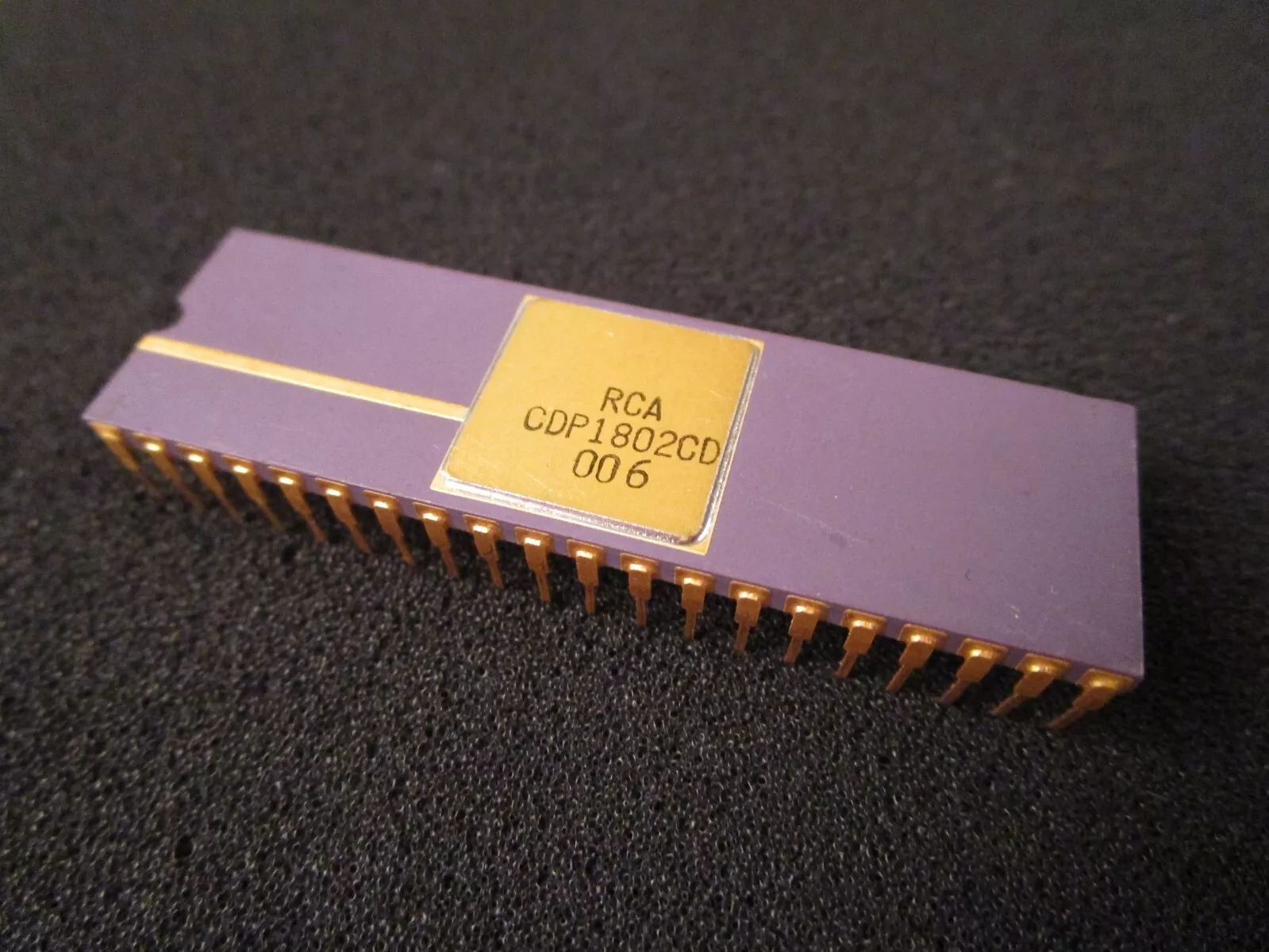
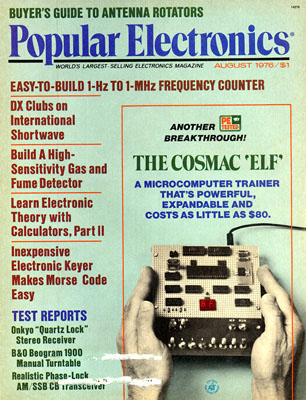
On August 1976, the hobby magazine “Popular Electronics” featured the article titled “The COSMAC ‘Elf’ – A microcomputer trainer that’s powerful, expandable and cost as little as $80”.
The article showed a home hobbyist how to build this simple and very straightforward microcomputer system based on RCA’s then new CDP1802 microprocessor
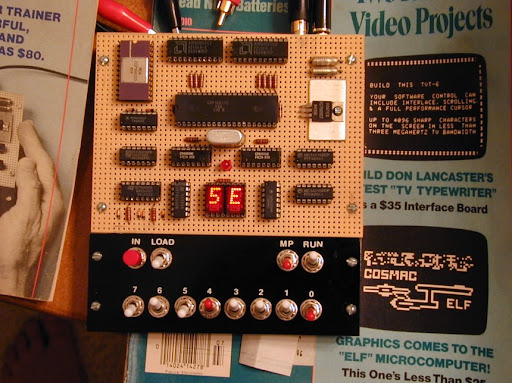
Featuring 256 bytes of static RAM, two hex LED displays for output, eight simple toggle switches for user input, three more toggle switches for system control and a button for programming and user input. The 1802 microprocessor was clocked with a blazing one to two MHz
Programs where toggled in though the eight switches. Truly programming at its most fundamental level.
One of the interesting innovations supported by the 1802 was the inclusion of four software testable inputs labeled EF1 through EF4 and one programmable output labeled Q
Three more articles where released in the upcoming months expanding on the basic design and giving more coding examples
The CDP1802 microprocessor was first introduced by RCA in early 1976. This 8-bit microprocessor was based around COSMAC (Complementary Symmetry Monolithic Array Computer) concept pioneered by Joseph Weisbecker (who also wrote the Popular Electronics article on the Elf) back in 1970 and 1971
The RCA CDP1802 COSMAC microprocessor went on to be the core for several hobby systems like Quest Electronic’s Super Elf and Netronic’s Elf II along with several others released between mid 70s to the early 80s.
https://www.astrorat.com/cosmacelf.html
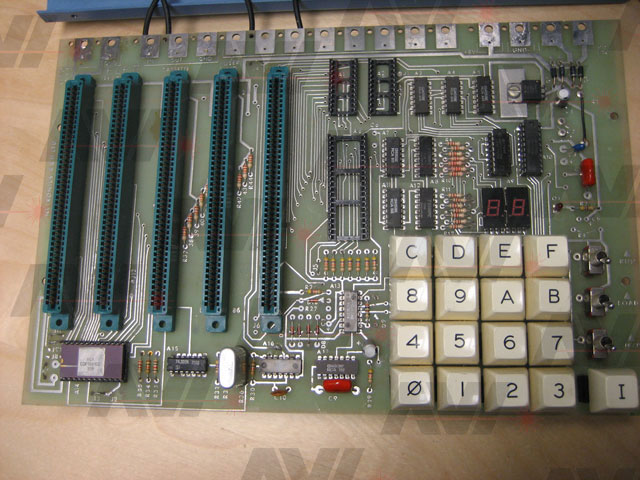
Look at your ELF II. You will notice three toggle switches (or possibly locking pushbuttons) on the right hand side near the edge of the board; the bottom switch (closest to you) is labeled “M/P” for “Memory Protect”. When this switch is on (positioned away from you in the direction of the little arrow, or locked down), the RAM memory is protected from being accidentally changed by you or the computer; in other words, while the switch is on, nothing new can be stored into memory, even by those instructions or operations which normally would store into it.
The next switch is labeled “LOAD”, and is used to load data (and programs) into the computer before running. This switch works with the third switch, labeled “RUN”. When both the LOAD and RUN switches are off (towards you), the computer is reset, that is, put into a known initial state or condition. This is so that the computer will always start executing the first instruction of the program. Specifically, when the 1802 is reset, X and P are both set to point to R0, which is also set to zero so that it will point to the first byte in memory. IE is also set to the enabled state, but that does not concern us now.
When the switches are in the combination RUN off, LOAD on, M/P off, the computer is able to manually load bytes from the hex keypad. You push the keys corresponding to the hex code of the byte you want entered, then push the “I” (for “Input”) key once. The byte that was entered into memory shows up on the two-digit hex display just above the keypad. For the next byte you repeat the sequence. We will call this combination of the switches the Load mode. The 1802, when operated in this way, uses address register R0 to point to the memory byte to be loaded next. Since this register is inside the 1802 you cannot see it, so you have to count the number of times you push the “I” key to know which memory byte will be loaded next. Later I will show you a few tricks to make it a little easier to know where you are. If you entered the Load mode from the Reset state (both RUN and LOAD off), you know that R0 points to memory address 0, which is the first location in memory. Therefore the first byte you enter will go into memory location 0, the second byte will go into location 1, the third into location 2, etc. If you ever lose count, you probably have to reset the computer (turn the LOAD switch off, then back on) and start over. I have done this many times myself, so you should not feel badly if this happens to you rather often.
You recall I said that the M/P switch protects memory from both the computer and you. Let’s talk about you. If you enter the Load mode and then turn the M/P switch on, you will find that the computer thinks it is loading bytes into memory, but since memory is not changing, what you see on the hex display is not what you loaded, but what was there before. This is a convenient way to examine the contents of memory, so we’ll call it the Examine mode. You can turn the M/P switch on and off as often as you like, thus switching between the load mode and the examine mode. Doing this does not affect R0 (you have to reset the computer for that), so you can examine a few bytes, store something new into the next byte, then go back to looking at what is already there after that. Thus if you make a mistake on the 13th byte of your program, you can correct the mistake without re-keying the whole program by resetting, examining the first 12 bytes (you already know they are right, but you can look at them anyway), then loading the 13th byte, and continuing. You will probably find that you make more than one mistake in a single program, so it is best to save all your fixups for a single pass. This way you only need to step through memory three or four times; once to load the original program, once to examine it and see where all the errors are, once to correct those errors, then finally one more time to make sure you got them all right. Obviously it is very important that you write down on a piece of paper exactly what hex codes you are going to put into each memory byte. More on this later.
After loading your program into the ELF II you probably want the computer to execute it. This is done by setting RUN on, and LOAD off. We will call this the Run mode. It is generally best to enter the Run mode from the Reset state. That is, turn both switches off, then turn the RUN switch on. Since P is 0 and address register R0 is also 0, the first instruction to be executed will be the byte you loaded into location 0. The second instruction will be the byte you loaded into location 1 (unless the first instruction was more than one byte; in that case the second instruction may come from memory location 2 or 3). Chapters 3-6 are a detailed description of how each instruction is executed, so I will say no more at this time.
The fourth possible combination of the RUN and LOAD switches is both on. This is called the Wait state because it is used to stop the computer from executing without resetting it. If you put the computer back in the Run mode, it will continue where it left off. Wait will also stop the computer from proceeding in the Load mode, but that is not of much value, since it is normally waiting for you to push the “I” key anyway. You cannot depend on switching the computer from Load to Run, or from Run to Load by going through Wait, because whatever the computer is doing when it enters the Wait state is not finished, and so it may not be able to properly start up in the other mode.
	..  PROGRAM 2.3 -- SLOW BLINK
	..
0000 91	BLINK:	GHI 1	.. LOOK AT TIMER IN R1
0001 CE		LSZ	.. IS ZERO ONLY 1/256
0002 7A		REQ	.. IF NOT 00, Q OFF
0003 38		SKP
0004 7B		SEQ	.. WHILE ZERO, Q ON
0005 11		INC 1	.. BUMP COUNTER
0006 30		BR BLINK..   THEN REPEAT
0007 00
91 (Hex) → 1001 0001 (Binary)
CE (Hex) → 1100 1110 (Binary)
7A (Hex) → 0111 1010 (Binary)
38 (Hex) → 0011 1000 (Binary)
7B (Hex) → 0111 1011 (Binary)
11 (Hex) → 0001 0001 (Binary)
30 (Hex) → 0011 0000 (Binary)
00 (Hex) → 0000 0000 (Binary)